
Group Ordering
Food this good is meant to be shared!
Plan your next meal from your own devices in one easy link with Group Ordering!
Collaborate on a shared order where everyone picks their favorite,
you check out once, and hunger’s handled.
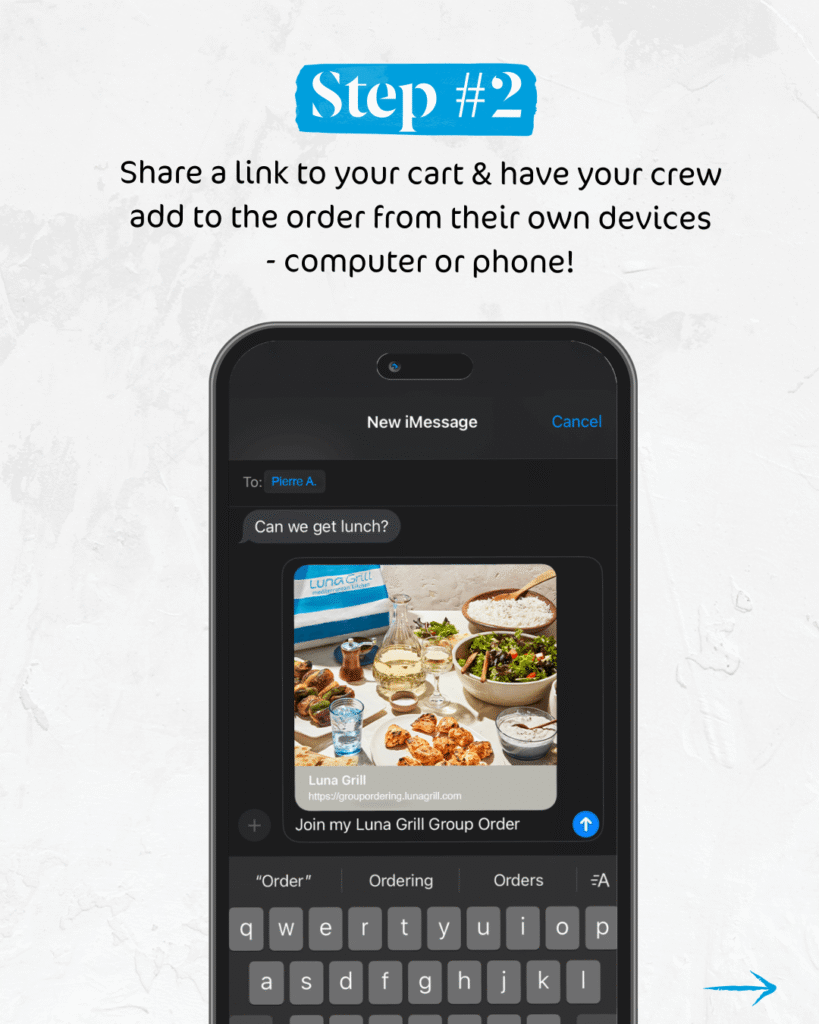
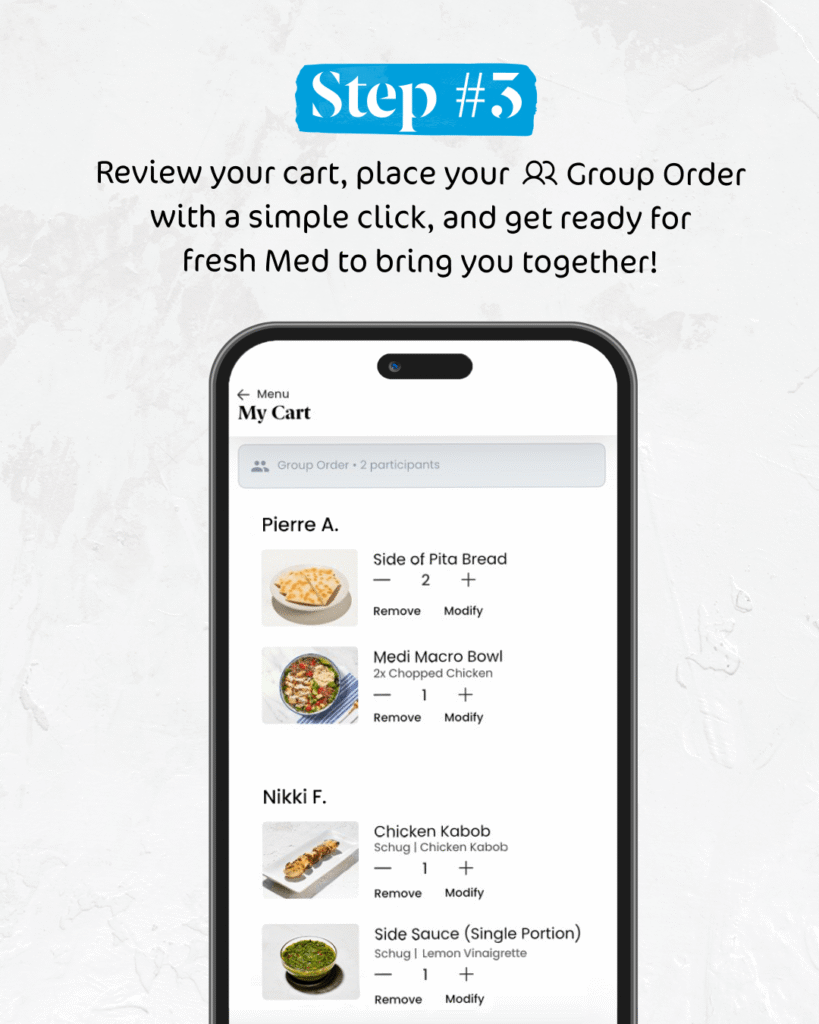
Start your next Group Order in the Luna Grill app and earn on every purchase with Club Luna Rewards.
✓ Weeknight Dinners
✓ Friends Night In
✓ Office Lunches
✓ Last-Minute Parties
Group Order FAQs
How do I start a Group Order?
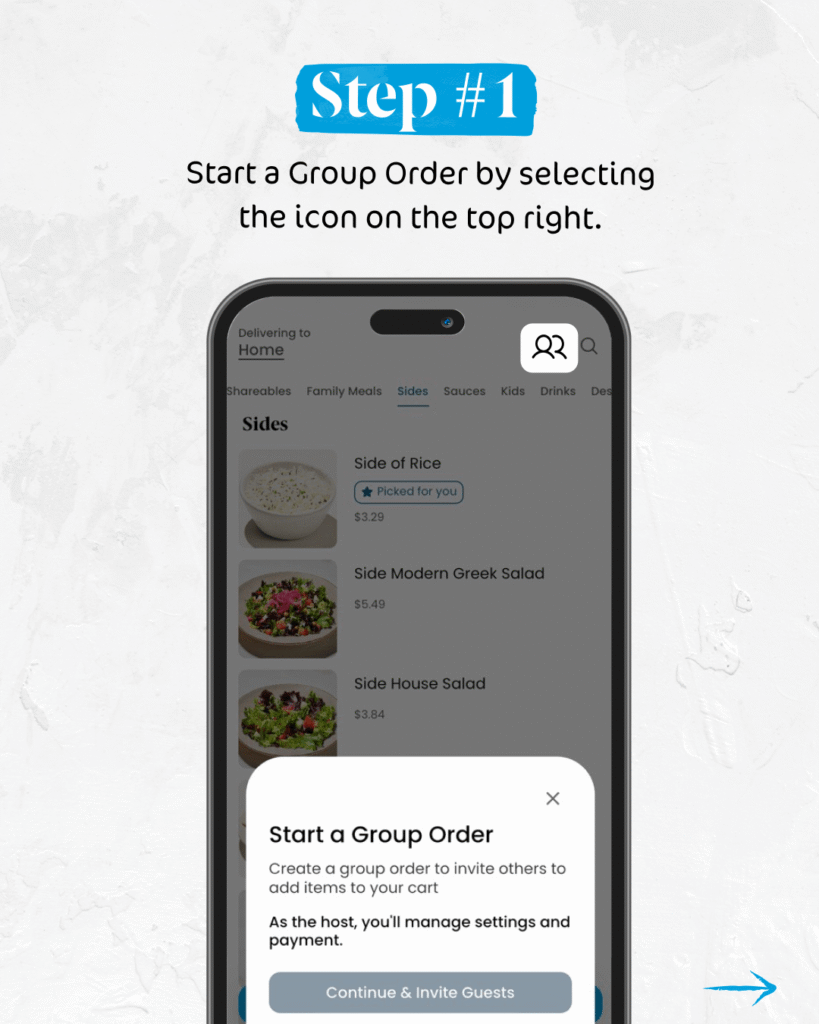
To start a group order, open the Luna Grill app, and click the “Order Now” button. The app will prompt you confirm your nearest restaurant and will bring you to the menu of restaurant you’d like to order from. Here, you may click the Group Ordering icon in the top right hand corner (pictured above). Share the link with your group and watch as they add items to your shared cart!
How many people can join a Group Order?
It only takes two to make a Group at Luna Grill! You may share your link with just one person, or with many! For orders of over twenty five people, we recommend ordering from our Catering menu.
Is a Group Order different from Catering?
Yes, you may find Group Ordering or Catering to be a better solution for you depending on your needs. Group Ordering allows you and several other people to place an order together from our main menu on the app or online. With Group Ordering, the other members of your group may access the menu and personalize their own menu selections to add to a shared cart. Our Catering menu is great for very large groups where you may prefer buffet style options, or are not needing as much individual customization.
If you’d like to access our catering menu, you may do so at this link: Luna Grill Catering
Will I earn rewards on my Group Order?
Yes! If you are placing your Group Order in the app, you will automatically earn rewards for your order. If you are ordering from our online ordering site, please ensure that you are logged in to earn for your purchase. The “Host” of the Group Order will earn points for the entire transaction. Other participants in the Group Order will not earn points for the order.
How far in advance can I place a Group Order?
The Luna Grill app allows for pre-orders up to five days in advance.
Can I place a Group Order for delivery?
Absolutely! When placing your Group Order, be sure to select “Delivery” as the order type. Group Orders will be delivered using the same service as our regular orders placed in the app or online. If you need a higher level of care with your delivery, we suggest that you consider ordering from our Catering menu.
Does everyone in the Group Order need the Luna Grill app?
Not at all! Only the person placing the Group Order needs to be a Club Luna Rewards Member to use the app or place a Group Order on our online ordering site. Guests in the Group Order do not need to have the app to contribute to a Group Order. They may add to their order from their mobile devices or computer.
Can I order my regular Luna Grill favorites in a Group Order?
Of course! This is one of our favorite perks of Group Ordering – everyone can customize their favorites exactly how they like with ease. Browse the menu, choose your favorite, make your customizations, add it to the cart, and you’re done! Our entre menu is available to order from when placing a Group Order, and you may even choose from our Digital Exclusive items like Build Your Own Bowl, Medi Melt, & more!

Earn $10 in Rewards for every $100 Spent!
Eat Well & Be Rewarded! Join Club Luna Rewards to get $5 off your first order and start earning towards your first $10 Reward.

